PvZ Shooting Mod Download Latest Version for Android and PC 2026
Download PvZ Fusion Shooting Mod APK and enjoy movable plants, hybrid abilities, and intense new levels with advanced gameplay mechanics.
Version
0.3.1
Mod
Shooting
Size
130 MB
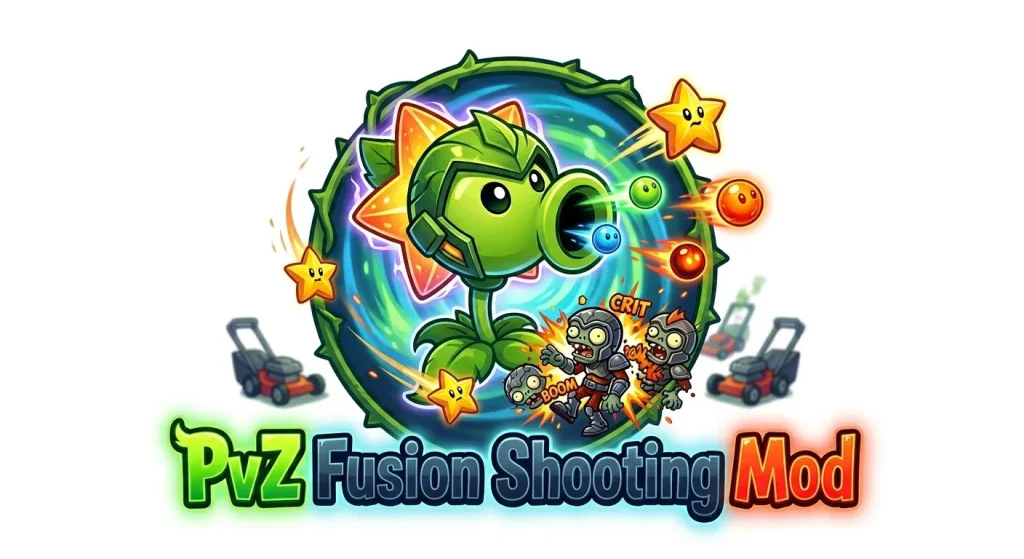
PvZ Shooting Mod is a fan-made version of original Plants vs. Zombies that come with a new layer of strategy to the classic gameplay. Unlike the original game where plants stay fixed, this mod lets you move them freely during battles, making every level more dynamic and engaging. It also introduces hybrid plants, extended levels, and unlimited resources, giving players more control and flexibility. Whether you are new to PvZ or already familiar with its mechanics, this version offers a fresh and more interactive way to defend against zombie waves.
You must try Pvz Niejo Mod
What is Pvz Shooting Mod?
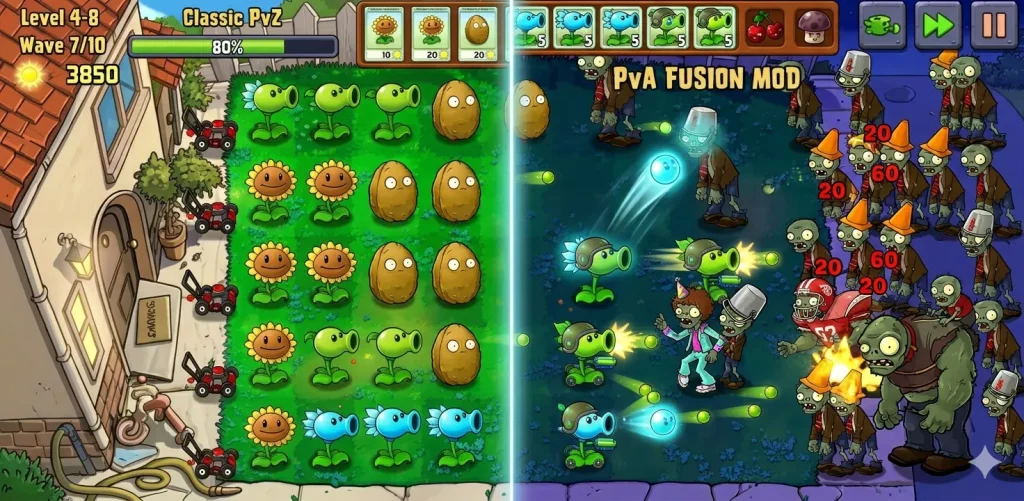
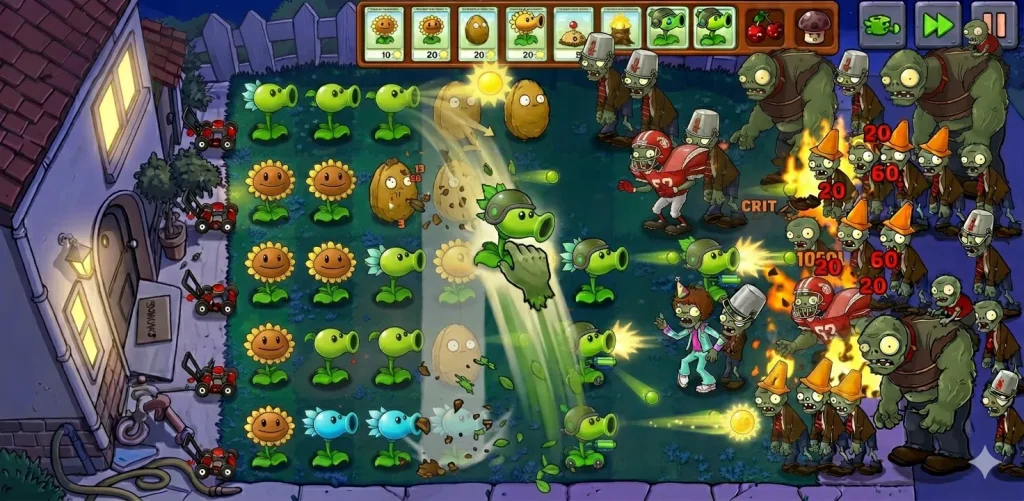
PvZ Shooting Mod is a modified version of Plants vs. Zombies created by fans who wanted to change how the game is played. Instead of following the traditional setup where plants stay fixed in one place, this mod allows players to move their plants freely during battles. This single change completely transforms the gameplay. You are no longer limited to pre-planned defenses. You can react in real time, adjust your strategy, and reposition plants based on how zombies attack. This makes each level more active and skill-based rather than just placement-focused.
Another key aspect of this mod is the introduction of hybrid plants. Players can combine different plants to create new ones with multiple abilities. For example, a plant can generate sun while also attacking, which helps balance offense and resource management. In simple terms, PvZ Shooting Mod turns a classic tower defense game into a more dynamic strategy experience. It keeps the original concept but adds flexibility, faster decision-making, and more control over how you play.
Key Features of PvZ Shooting Mod
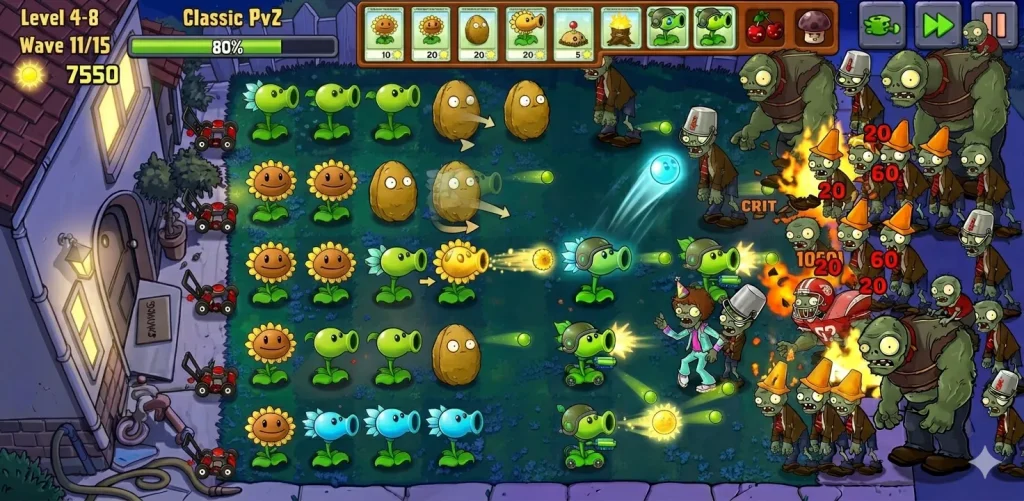
Movable Plants System
The most important feature of PvZ Shooting Mod is the ability to move plants during battles. In the original Plants vs. Zombies, once a plant is placed it cannot be changed. Here you can reposition plants anytime based on zombie movement. This allows you to fix mistakes instantly and adapt your defense without restarting the level.
Hybrid Plant Combinations
This mod introduces a fusion system where two plants can be combined into one. These hybrid plants carry multiple abilities at the same time. For example, one plant can generate sun while attacking enemies. This reduces dependency on multiple rows and makes your setup more efficient.
Extended Levels with Multiple Flags
Levels are longer and more challenging compared to the original game. Each stage can include up to 11 flags of zombies. As the level progresses, enemy strength increases, which forces you to adjust your strategy continuously instead of relying on a single setup.
Multiple Game Modes
PvZ Shooting Mod includes different game modes to keep gameplay fresh. Adventure mode focuses on progression, survival mode tests how long you can last, and mini games offer short challenges with unique rules. Each mode requires a different approach.
Unlimited Sun and Resources
You get access to unlimited or high resources which allows you to experiment freely. Instead of waiting to collect sun, you can focus on building strong plant combinations and testing new strategies without restrictions.
Improved Graphics and Controls
The mod improves overall visuals while keeping the original style intact. Animations feel smoother and controls are more responsive. Moving plants is simple and quick, which makes the gameplay feel more active and less restricted.
PvZ Shooting Mod Features Overview Table
|
Feature |
Description |
Advantage |
|
Moving Plants |
Plants can move anywhere during the battles. |
Allows real-time strategy adjustment and better control |
|
Hybrid Plants |
Combine two plants into one with dual abilities |
Saves space and increases efficiency |
|
Extended Levels |
Levels include multiple zombie waves up to 11 flags |
Keeps gameplay challenging and engaging |
|
Multiple Game Modes |
Includes adventure, survival, and mini-games |
Adds variety and replay value |
|
Unlimited Resources |
Access to high or unlimited sun and seeds |
Freedom to experiment with strategies |
|
New Zombie Types |
Zombies come with different abilities and attack styles |
Requires smarter planning and counters |
|
Improved Controls |
Smooth movement and responsive gameplay |
Makes plant repositioning easy and fast |
|
Enhanced Visuals |
Better graphics and animations |
Improves overall gaming experience |
Gameplay Mechanics Explained
Download Pvz Fusion Ecology Mod
How Moving Plants Changes Strategy
The ability to move plants completely changes how you approach each level. In the original Plants vs. Zombies, strategy depends on placing plants correctly from the start. In PvZ Shooting Mod, you can adjust your defense at any moment. If zombies break through one lane, you can shift your strongest plants there instantly. This removes the need to restart levels due to poor placement and rewards quick decision-making. It also allows you to play more aggressively since mistakes can be corrected in real time.
Best Use of Peashooter Variants
Peashooters are no longer just basic attackers. In this mod, different variants can deal higher damage, attack faster, or cover multiple lanes. To use them effectively:
Using Peashooters smartly can control the entire battlefield, especially in longer levels with multiple waves.
Understanding Zombie Types and Counters
Zombies in this mod are more diverse and require different strategies. Some are stronger, some are faster, and others have special abilities. To handle them effectively:
The key is not just planting the right units, but reacting quickly. Success depends on how well you adapt your setup as the battle evolves.
Best Strategies to Win Easily
Smart Plant Placement
Even though you can move plants, initial placement still matters. Start with a balanced setup that covers all lanes. Avoid placing all strong plants in one row. Spread your defense so you are prepared for sudden zombie waves from any direction.
When to Use Hybrid Plants
Hybrid plants are powerful but should be used wisely. Do not rely on them too early. First build a stable defense, then introduce hybrid plants to strengthen weak areas. Use them where you need both attack and resource generation at the same time.
Resource Management Tips
Unlimited resources does not mean careless spending. Placing too many plants at once can make your setup messy and ineffective. Focus on building a clean and organized defense. Use resources step by step and upgrade your strategy gradually.
Handling Difficult Zombie Waves
As levels progress, zombies become stronger and more aggressive. During heavy waves, move your strongest plants toward the most dangerous lane. Keep defensive plants ready to block sudden attacks. Do not panic and place random plants. Stay focused, adjust your setup, and respond based on the situation. Quick decisions and controlled movements are the key to winning difficult levels.
Download PvZ Shooting Mod for Android and PC
You can download the latest version of PvZ Shooting Mod safely from a trusted source. Since this is a fan-made version of Plants vs. Zombies, it is not available on official app stores, so using a reliable website is important. To get the mod, visit: https://pvzfusiondl.com/
Make sure you download the latest version to get updated features, better performance, and fewer bugs. Always verify that the file matches the correct size and version details before installing to avoid any issues.
How to Install PvZ Shooting Mod
Android Installation Steps
PC Installation Steps
System Requirements
Before installing PvZ Shooting Mod, make sure your device meets the basic requirements for smooth performance. This helps avoid lag, crashes, or installation issues.
Android Requirements
PC Requirements
Is PvZ Shooting Mod Safe to Download
To stay safe, follow these basic checks:
It is also important to understand that this is not an official release by PopCap Games or its publishers. While the mod itself is widely used, users should always be cautious and responsible when installing third-party files.
Pros and Cons of PvZ Shooting Mod
Pros
Cons
Conclusion
PvZ Shooting Mod offers a fresh way to experience Plants vs. Zombies by adding more control and strategy to the gameplay. The ability to move plants, create hybrids, and handle longer levels makes it more engaging than the original version. It is a good choice for players who want something different without losing the core feel of the game. With the right strategy and careful setup, you can fully enjoy its features and challenges. Just make sure to download it from a reliable source and play responsibly.