PvZ Fusion Smart Recommendation Tool
The PvZ Fusion Smart Tool is an advanced strategy tool designed for the players. Using this tool you will be able to find out best fusions & enemy types according to your level. Instead of guessing or experimenting blindly, use this smart tool. It will help you to choose best fusion that will maximize your winning chances.
Developer
pvzfusiondl
Tool Features
AI Based Smart Fusion
Version
1.0
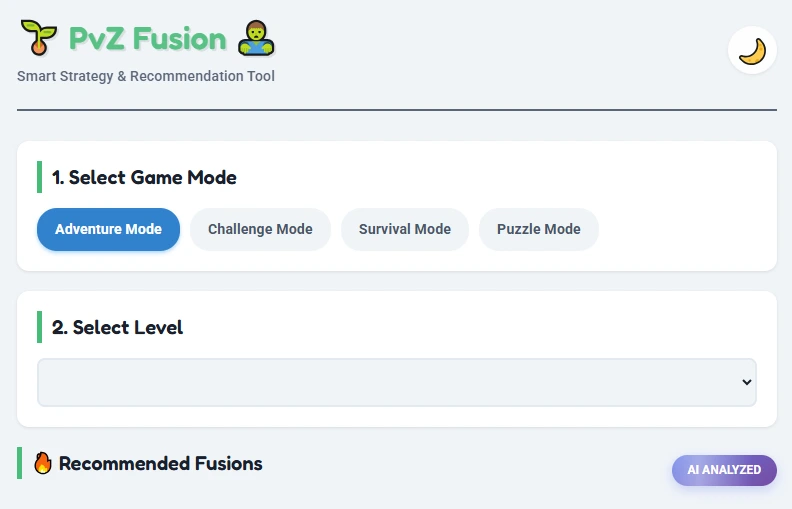
🌱 PvZ Fusion 🧟
Smart Strategy & Recommendation Tool1. Select Game Mode
2. Select Level
🔥 Recommended Fusions
Select a Game Mode and Level to generate tactical recommendations.
What Makes PvZ Fusion Smart Tool Different?
This tool uses smart level analysis & enemies intelligence instead of simple plant lists. Check full plant databese here. After analyzing it will suggest you the best and effective fusions to defeat enemies and win level. Some of its features are explained below:
Smart Level Analysis
When you select a level, it will automatically recognizes:
if a dangerious OR deadly zombie waves is coming in your level. It will clearly warn you via Level Intel Secion.
AI-Powered Fusion Recommendations
The recommendation doesn’t displays the random fusions. It tells the best fusion system according to enemies behavior.
Each fusion recommendation is shown after properly analyzing the level.
Full Game Database Coverage
The PvZ Fusion Smart Tool comes with all game database coverge. All levels, modes, plants and zombies are added to the tool.
It doesn’t matter which level you are playing. The tool will tell you the best startegy for your selected level.
How to use PvZ Fusion Smart Tool – Step By Step
Step 1 – Select Game Mode
At the top of the tool, choose your game mode:
Each game mode has its own enemy logic and fusion types.
Step 2 – Select Your Level
Using level dropdown, select your exact level, where you are stuck. i,e ( 4-1 Fog )
After selecting level, the level intel box will appear that shows:
This will help you in getting ready before applying your strategy.
Step 3 – Recommended Fusions
Now scroll down to the “recommended fusions” section. Here you will get the best fusions according to your level. Each fusion card will have a “Why” tag, that explains its purpose such as:
This will make decission making simple and faster.
Why You Should Use PvZ Fusion Smart Tool?
Final Words
The PvZ Fusion Smart Tool is built to give you clarity, control, and confidence in every level. If you follow its recommendations, you will spend less time failing and more time progressing. Download the latest version of PvZ Fusion here.